
Help › Your account and collection
How do I save bots to My Collection?
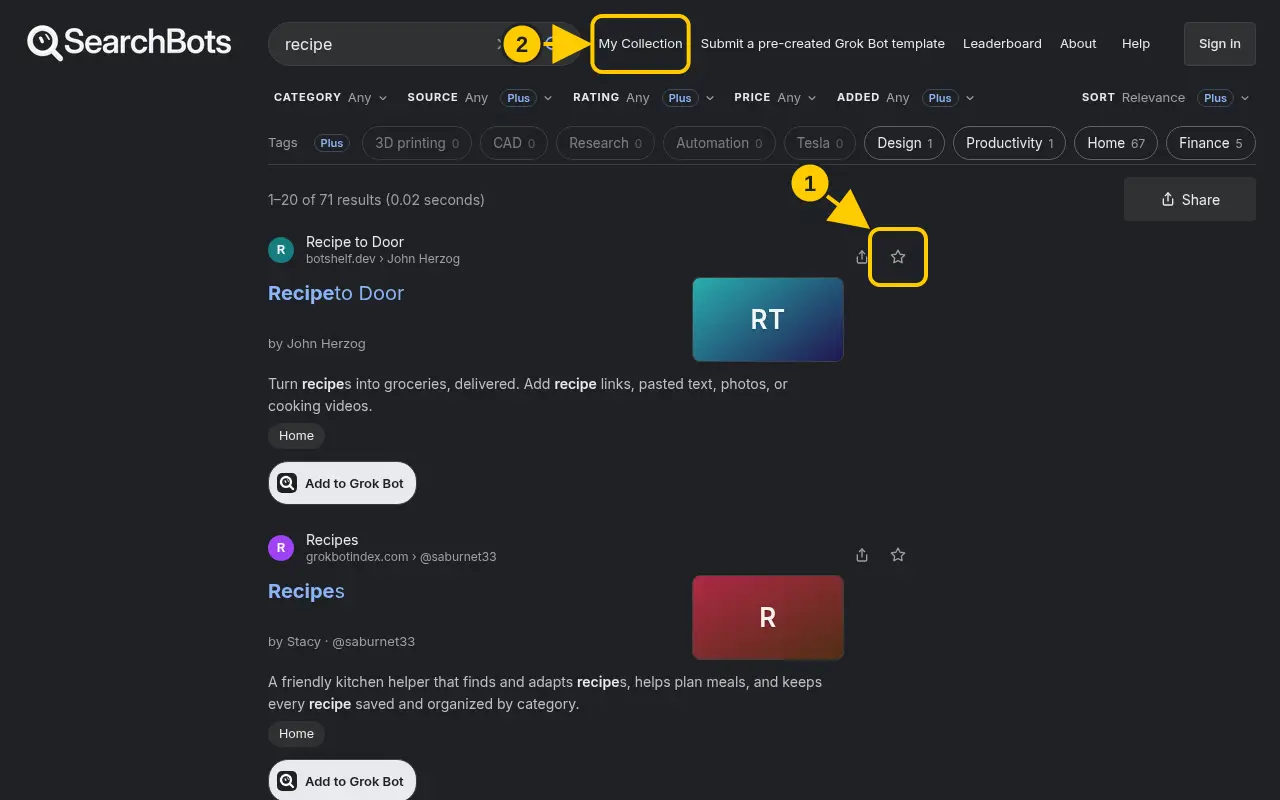
Click the star on any bot. Your saved bots are under My Collection.
Steps
- Click the star on a search result or listing page. It fills in when the bot is saved.
- Click My Collection at the top of the page to see everything you’ve saved.
- Click the star again to remove a bot. Use Clear all to empty your collection.
Good to know
- Without signing in, your collection stays in this browser. Sign in to keep it across devices.
- Free accounts can save up to 20 bots. Plus and Pro have no limit.
Was this helpful?Thanks for the feedback!