
How do I upgrade to Plus or Pro?
Go to Pricing, pick monthly or yearly, and choose Pay with card or Pay with PayPal.
Steps
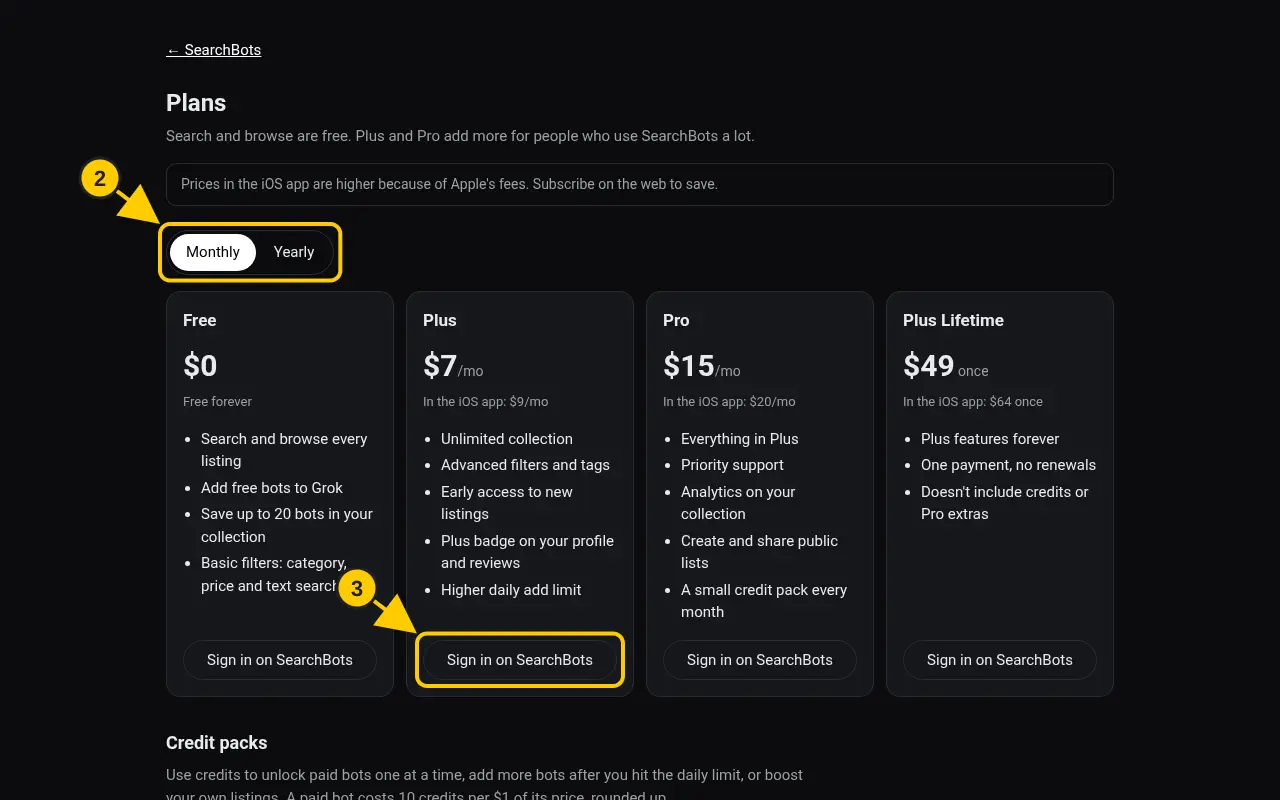
- Click Pricing in the footer, or go to searchbots.io/pricing.
- Choose Monthly or Yearly. Yearly saves money.
- On the plan you want, sign in if asked, then click Pay with card or Pay with PayPal.
- Finish checkout. Your new plan shows on the Plan and billing page.
Good to know
- Plus: unlimited collection, advanced filters and tags, early access to new listings, a Plus badge and a higher daily add limit.
- Pro: everything in Plus, plus priority support, collection analytics, public lists and monthly credits.
- Plus Lifetime is a one-time payment for Plus features forever.
- Prices in the iPhone app are higher because Apple takes 30%. Same features either way.
Was this helpful?Thanks for the feedback!