
How do I buy and use credits?
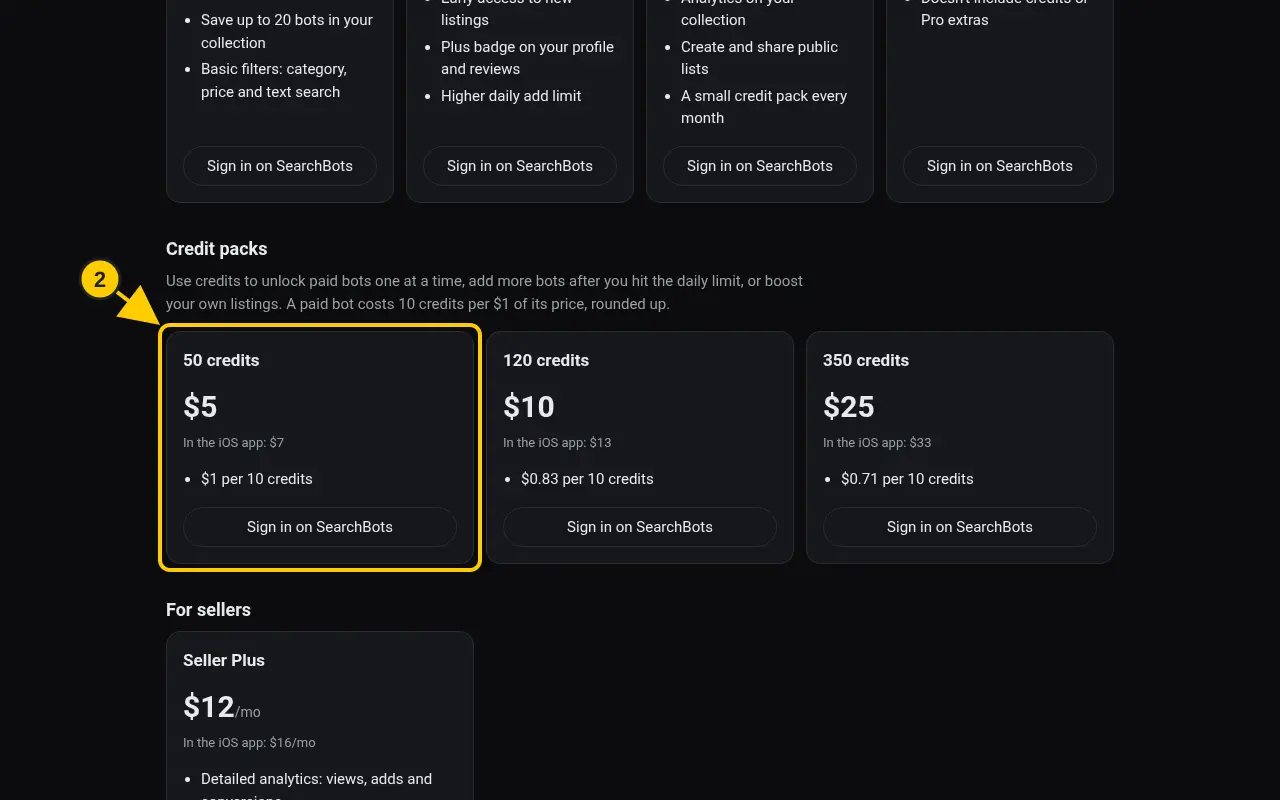
Buy a credit pack on the Pricing page. Use credits to unlock bots, add past the daily limit, or boost listings.
Steps
- Go to Pricing → Credit packs.
- On a pack, click Pay with card or Pay with PayPal.
- Your balance shows on the Plan and billing page under Credits, with a history of what you spent.
- To spend credits, pick the credits option when you buy a bot, choose Use 1 credit when you hit the daily add limit, or click Boost in your seller dashboard.
Good to know
- Credits used to unlock paid bots can’t be refunded.
Was this helpful?Thanks for the feedback!