
How do I cancel or change my plan?
Open Plan and billing and click Cancel. You keep your plan until the end of the period you paid for.
Steps
- Sign in, click your name in the top right, then Plan and billing.
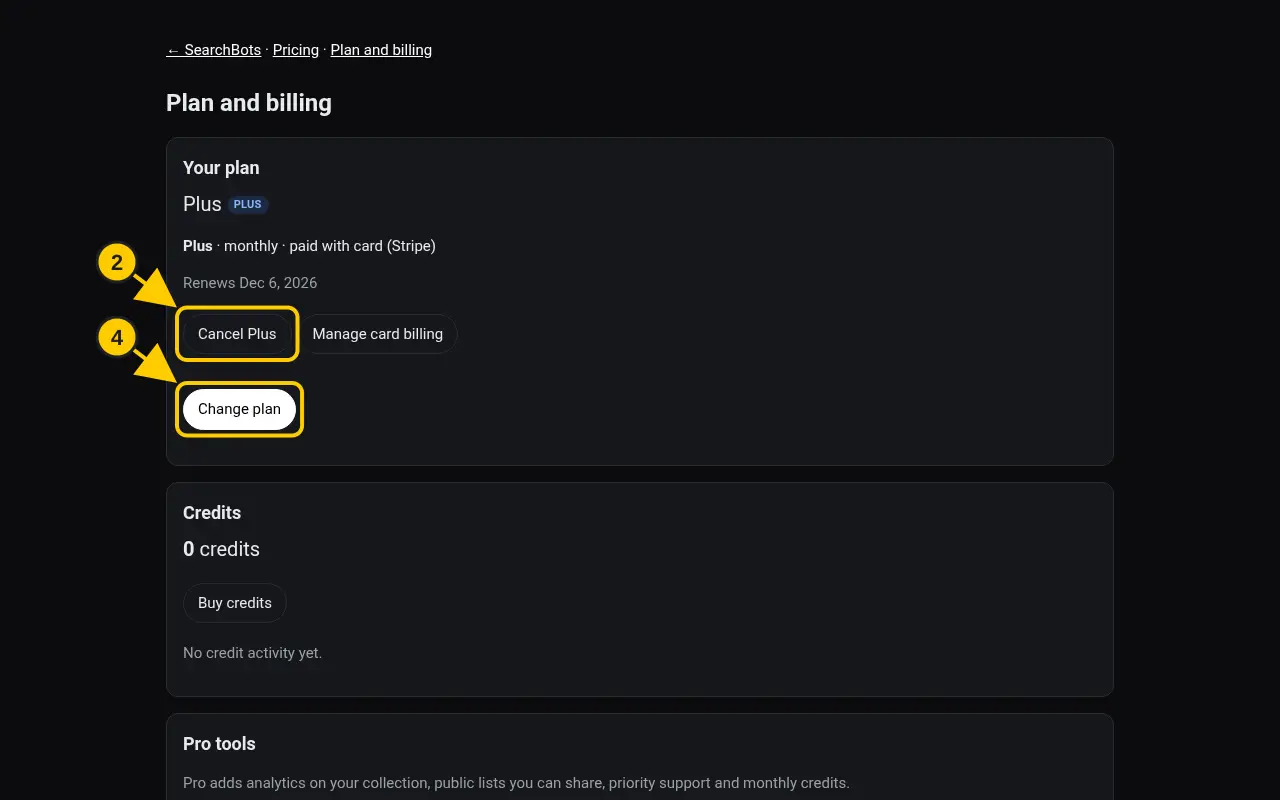
- Under Your plan, click Cancel next to your plan.
- You keep the plan until the date shown. It won’t renew after that.
- To switch plans, click Change plan. To update a card, click Manage card billing.
Good to know
- If you subscribed in the iPhone app, Apple bills you. Cancel it in your iPhone’s Settings under Subscriptions. See this guide.
Was this helpful?Thanks for the feedback!