
How do I sell a bot?
On a bot you submitted or claimed, set a price and click Sell this bot. Set up payouts with Stripe or PayPal.
Steps
- Open a bot you submitted or whose creator page you claimed.
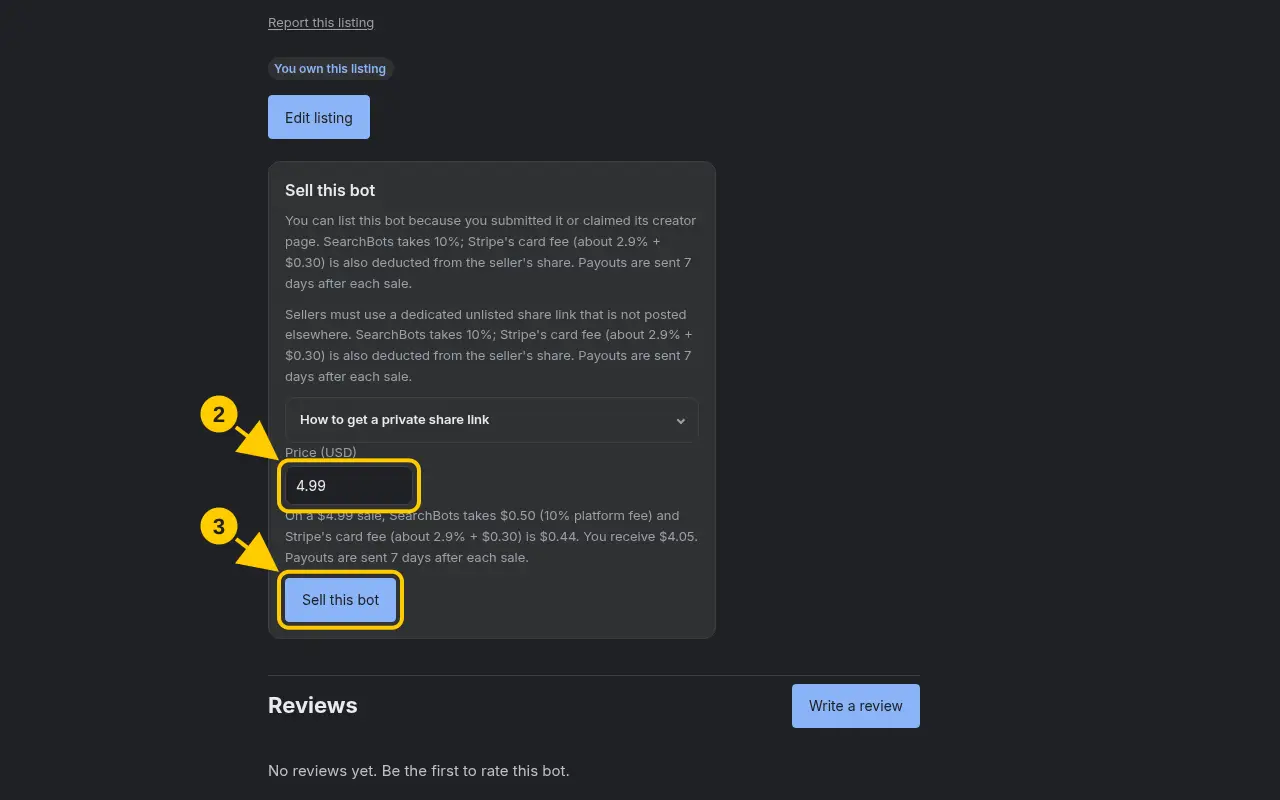
- In the Sell this bot box, enter a Price (USD). The minimum is $0.99. You’ll see what you’ll earn after fees.
- Click Sell this bot.
- The first time, Stripe asks you to set up a payout account. Follow its steps and you’ll come back to SearchBots.
- To change the price later, edit it and click Save price, or click Unlist to stop selling.
Good to know
- SearchBots keeps 10% of each sale. The card processing fee also comes out of your share.
- Read the Seller terms before you list.
Was this helpful?Thanks for the feedback!