
How do I get paid, and when?
Connect Stripe from the seller dashboard, or verify PayPal on the billing page. Payouts go out 7 days after each sale.
Steps
- Click your name in the top right, then Seller dashboard.
- Click Set up payments to connect a Stripe account.
- Or use PayPal: open Plan and billing → Selling, enter your PayPal email and click Send code. Enter the 6-digit code from the small payment note we send, then click Verify.
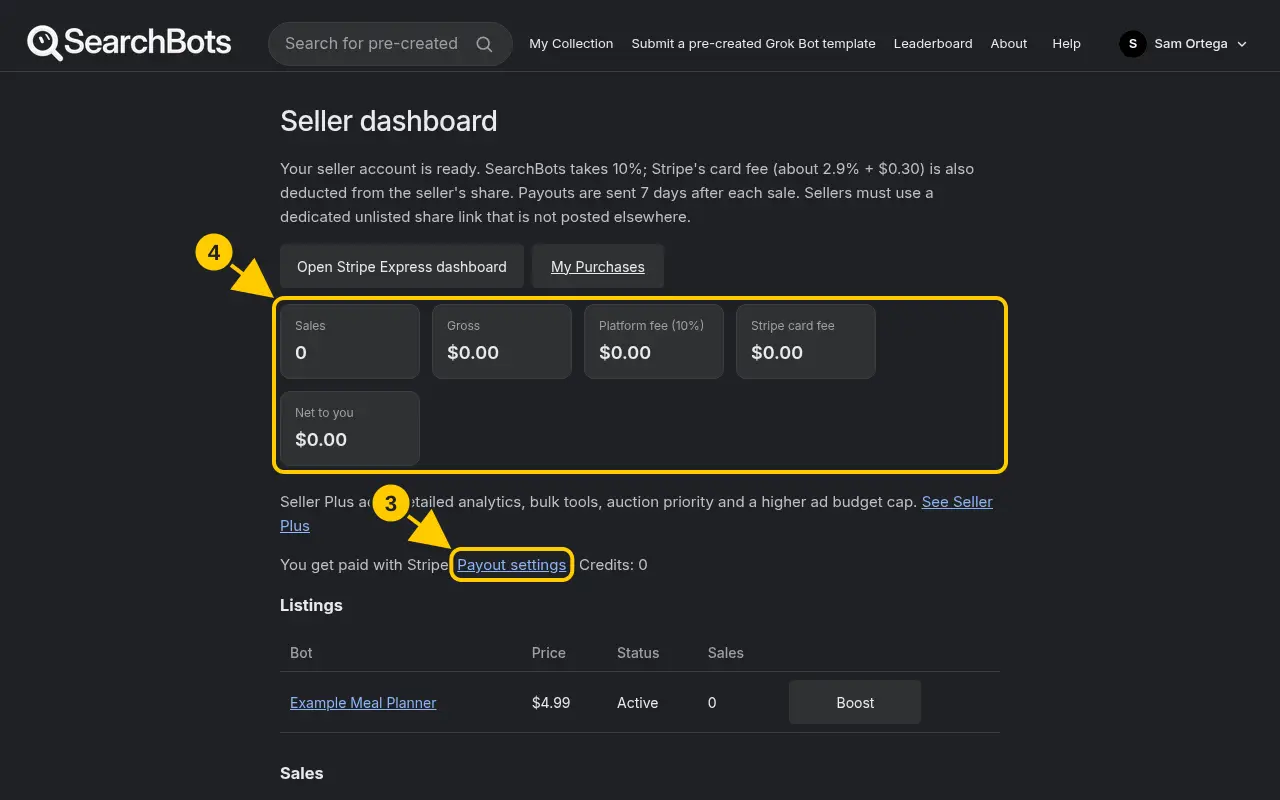
- Your dashboard shows your sales, fees and payout status. Click Open Stripe Express dashboard to see Stripe transfers.
Good to know
- Payouts are sent 7 days after each sale. If a sale is refunded before then, that payout is canceled.
Was this helpful?Thanks for the feedback!