
Where do I find bots I bought?
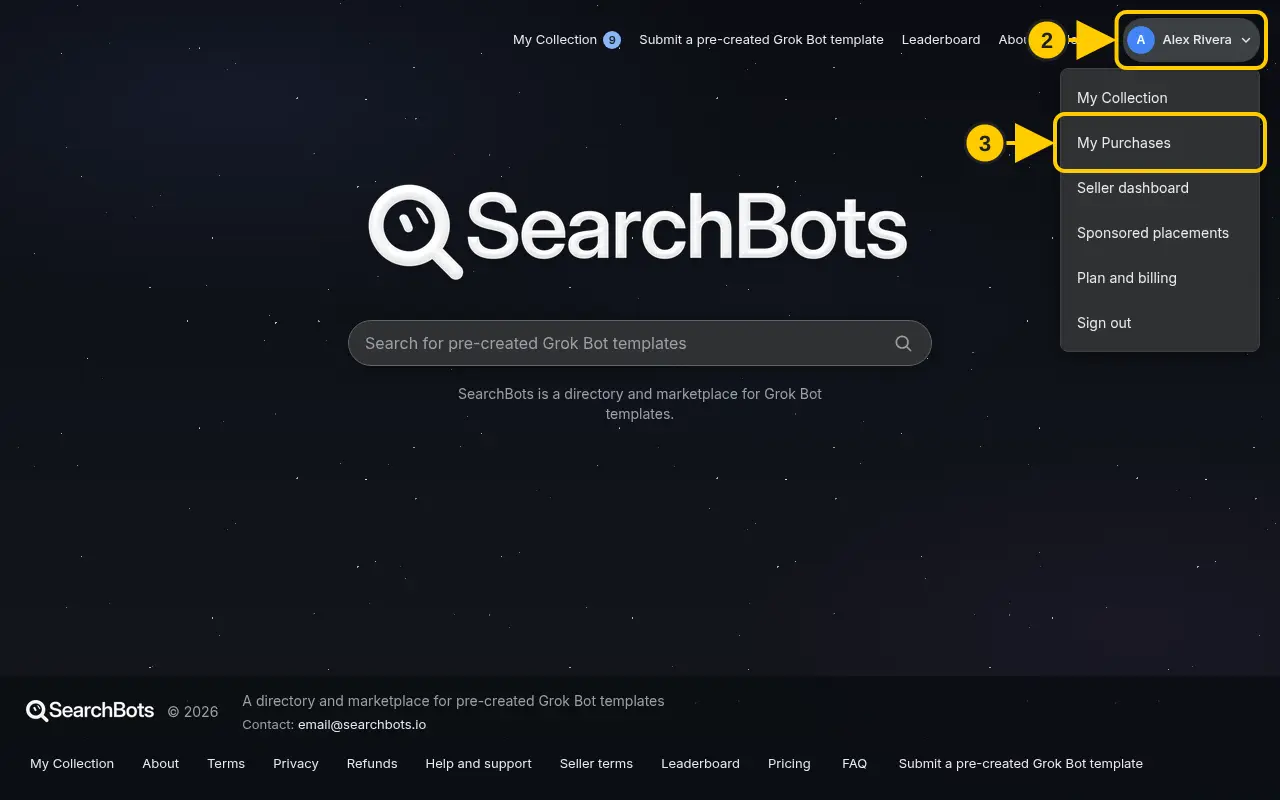
Click your name in the top right, then My Purchases.
Steps
- Sign in with the same account you used to buy.
- Click your name in the top right corner.
- Click My Purchases.
- Click Add to Grok Bot on any bot you own.
Was this helpful?Thanks for the feedback!