
How do I run sponsored ads for my bot?
Add funds and create a campaign under Sponsored placements.
Steps
- Click your name in the top right, then Sponsored placements.
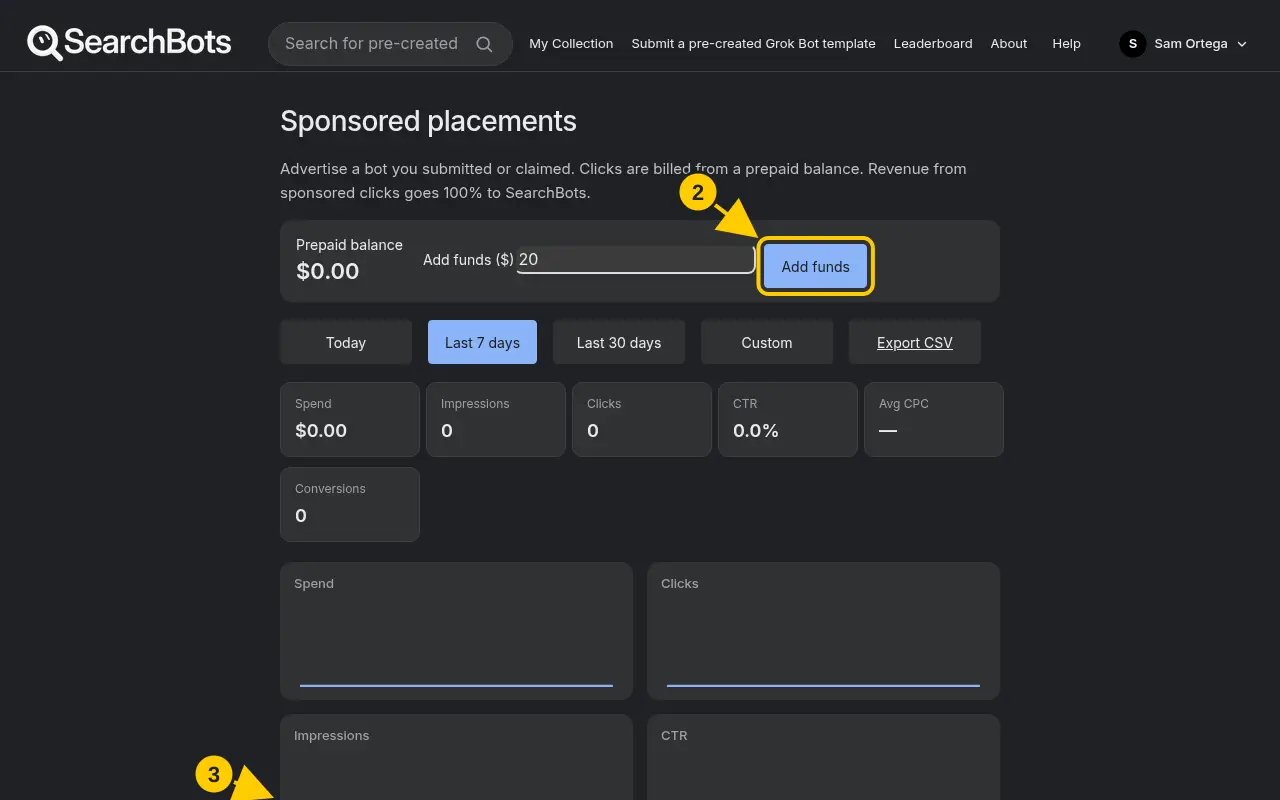
- Under Prepaid balance, enter an amount and click Add funds.
- Click New campaign. Pick the bot, add keywords, and set a Max CPC and Daily budget.
- Click Save campaign. Use Pause, Resume or Edit any time, and Export CSV for reports.
Good to know
- Only creators who submitted or claimed a bot can advertise it. You pay per click.
Was this helpful?Thanks for the feedback!